


Introduction
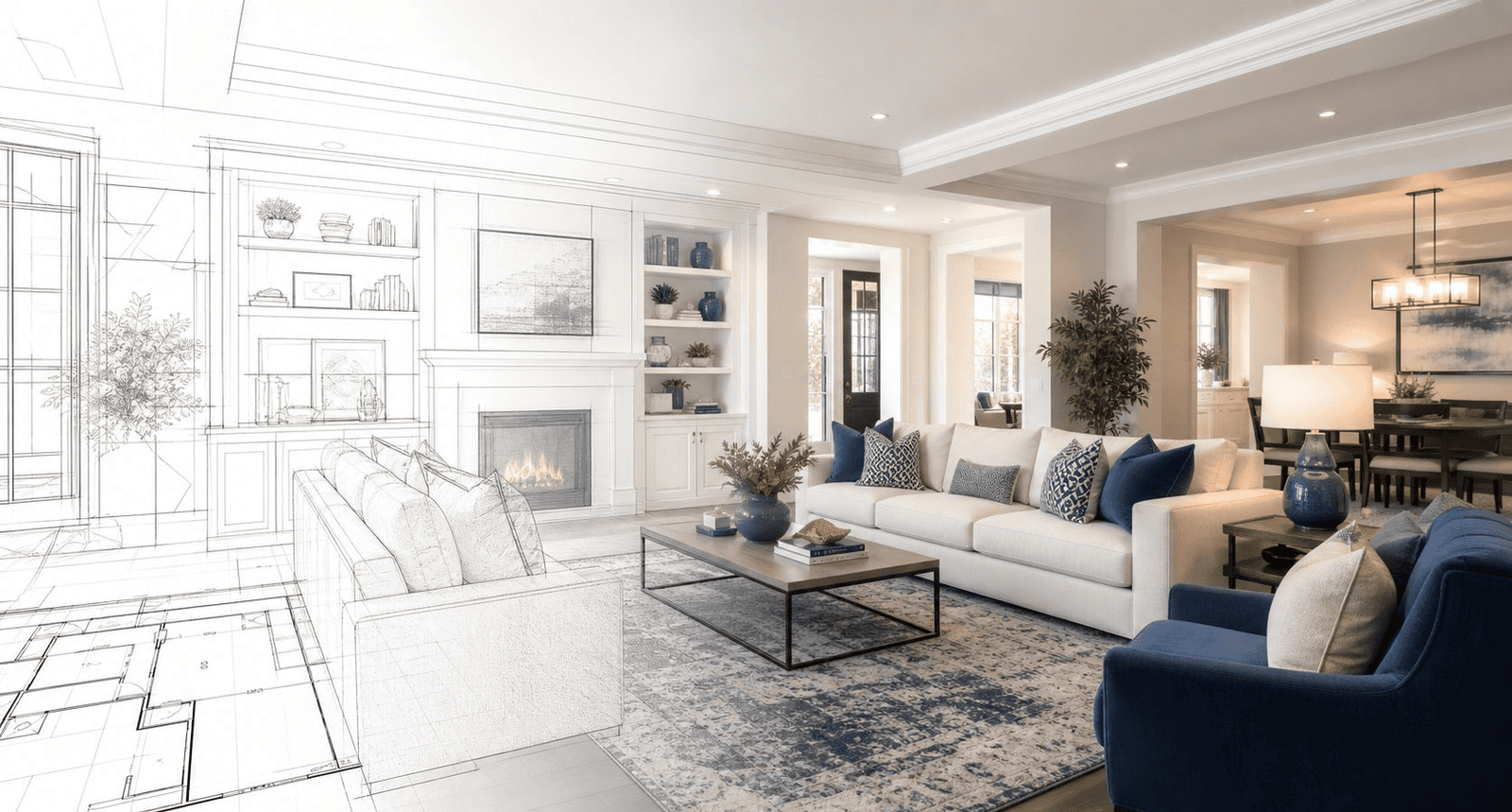
A three-bedroom listing used to need a videographer, a gimbal, a reshoot when the light changed, and an invoice north of a thousand dollars — and by the time the edit came back, the house sometimes already had an offer. That gap between listing a property and actually marketing it well is exactly what AI walkthrough animation closes.
If you’ve searched for “AI 3D walkthrough,” “AI architectural animation,” or “AI house tour generator,” you’ve probably noticed the space is crowded and confusing — some tools generate cinematic camera flythroughs from a single photo, others build avatar-led narrated tours, and others convert a floor plan sketch into a full video in one upload. This guide breaks down what each category actually does, how the technology works under the hood, which tools are worth paying for in 2026, and where AI still falls short of a human 3D artist.
At Blue Ribbon 3D, we work with both approaches daily — AI-generated walkthroughs for speed and volume, and studio-grade CGI animation for flagship projects — so this guide reflects what actually works in production, not just what looks good in a demo video.
Who this is for: real estate agents, property developers, interior designers, architects, marketing teams at construction companies, and anyone deciding whether to replace (or supplement) a traditional 3D rendering studio with AI.
The Problem With Traditional Walkthrough Animation
Traditional architectural walkthrough animation — the kind produced by 3D studios using tools like 3ds Max, Unreal Engine, or Lumion — is genuinely excellent, but it has three structural problems for anyone marketing properties at volume:
- Cost. A single room animation from a professional studio commonly runs $200–$500, and a full walkthrough package for a mid-size residential project can reach $10,000–$25,000.
- Time. Studio-quality walkthroughs typically take days to several weeks per revision cycle, which is painful when a listing needs to go live this week, not next month.
- Scale. A developer marketing 50 units needs 50 unique walkthroughs. Multiplying studio costs by unit count quickly becomes unaffordable for anything but flagship developments.
This is the exact gap AI walkthrough animation was built to fill — not to replace high-end CGI entirely, but to make walkthrough-style video accessible for every listing, every unit, and every budget.
What Is AI Walkthrough Animation?
There are three distinct sub-categories, and understanding the difference matters more than any single feature comparison:
1. Photo-to-Video Walkthroughs
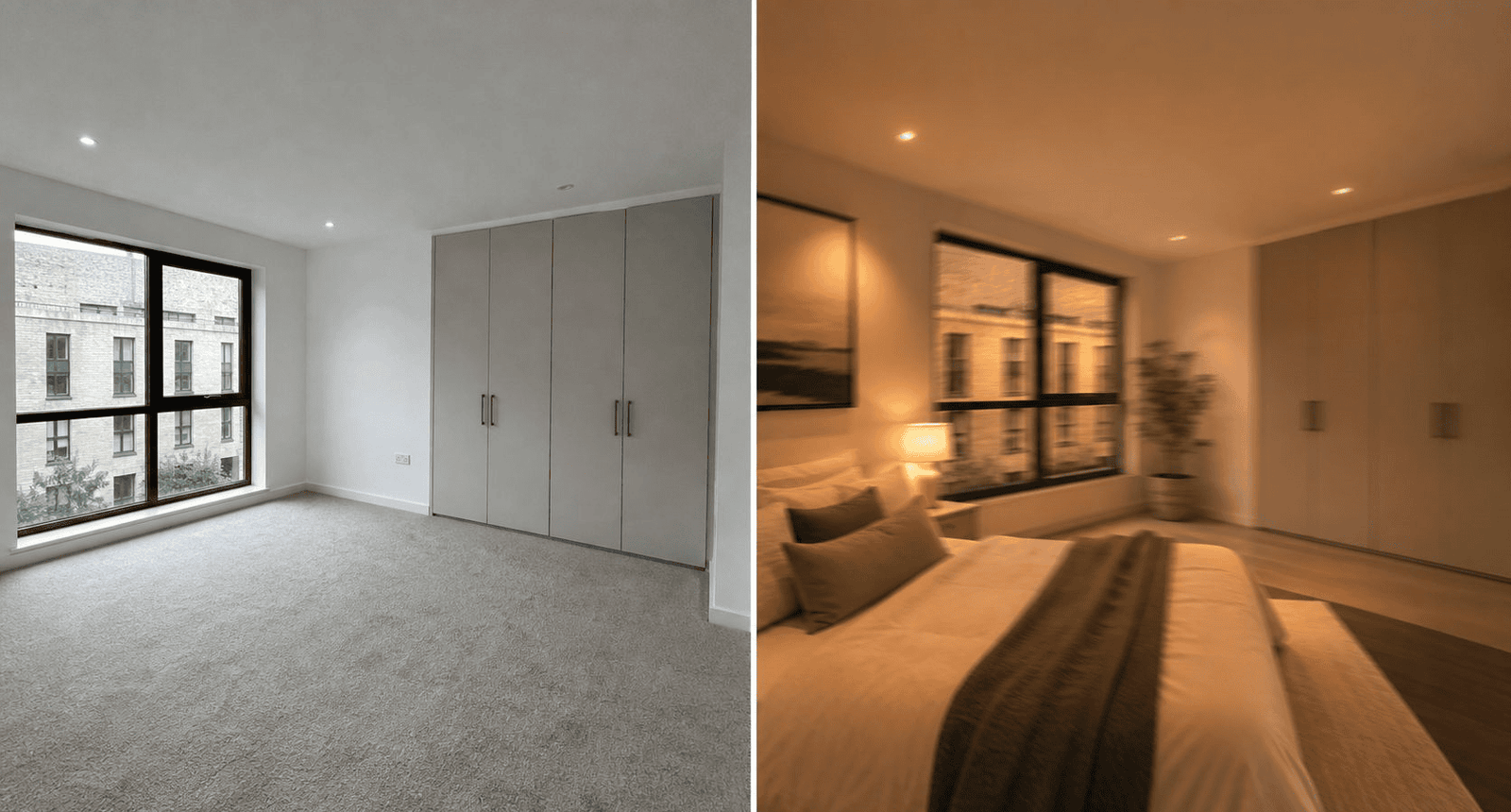
You upload one or more real photos of a room or building exterior. The AI estimates depth, identifies objects (walls, windows, furniture), and generates camera movement — pans, zooms, tilts — that makes a static photo feel like a filmed tour. This is the fastest and cheapest category, and it’s what most “AI interior walkthrough” and “AI exterior visualization” tools do.
2. Floor-Plan-to-Video Walkthroughs
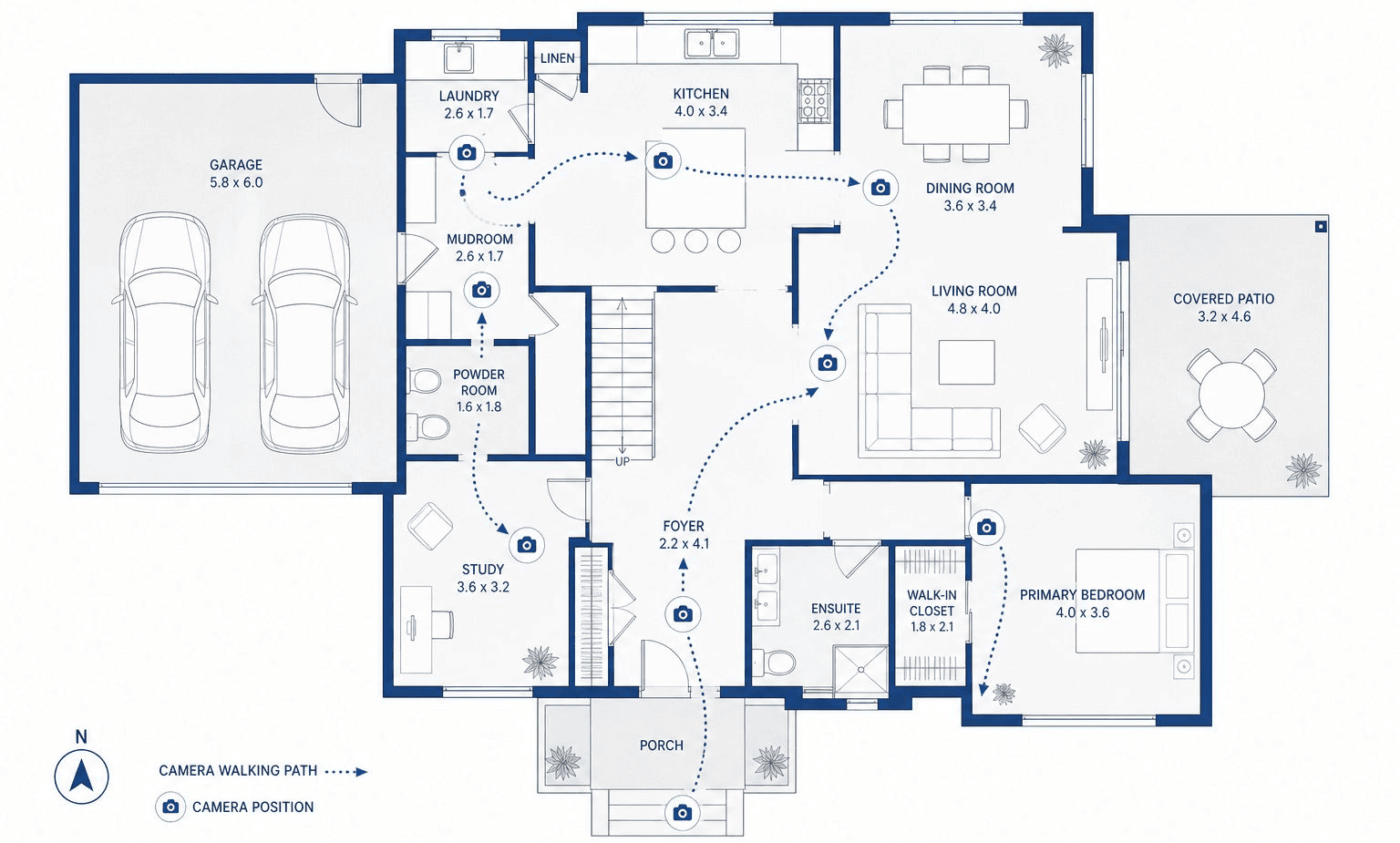
You upload a 2D floor plan — hand-drawn, scanned, or CAD-exported. The AI infers room layout, lighting, materials, and furnishing, then generates a full first-person video tour through the entire plan. This category is most useful before a unit is built, since there’s no photo to start from yet.
3. Avatar-Led Property Tours
An AI-generated human presenter narrates the walkthrough over property visuals — useful for agent branding and social media, though it’s closer to “AI real estate video generator” than true spatial walkthrough animation.
How AI Walkthrough Animation Actually Works
- Depth estimation — the AI analyzes a 2D image to build a depth map, identifying which surfaces (walls, floors, furniture, windows) are near versus far from the camera.
- Scene understanding — the model recognizes what it’s looking at (a sofa is a sofa, a window connects to exterior light), so generated movement respects real spatial logic instead of warping the image.
- Camera-path generation — the software plots a believable, physically plausible camera route: entering a doorway, panning across a living room, tilting up to show ceiling height.
- Video synthesis — a generative video model fills in the frames between camera positions, adding lighting, reflections, and — increasingly — implied furnishing that wasn’t in the original photo.
For floor-plan-based tools, an extra step happens first: the AI infers a full 3D layout from a 2D plan before any camera movement is calculated, using room labels and layout geometry to generate believable interiors from scratch.
Step-by-Step Tutorial: Creating Your First AI Walkthrough
- Gather your source material. For photo-to-video tools, use bright, wide-angle, non-cluttered photos shot from the center of each room. For floor-plan tools, export a clean CAD file or a clearly scanned floor plan with labeled rooms.
- Upload and select a template. Choose the walkthrough style — interior room tour, exterior flyover, or full multi-room sequence — and set camera motion (pan, zoom, tilt, or a combined route).
- Configure tone and pacing. Set lighting mood (daylight vs. warm evening), video length, and — for narrated tours — script and voice.
- Generate, review, and export. Most tools render in minutes rather than hours. Download in HD, and if a room reads oddly (a “phantom” piece of furniture, warped ceiling line), regenerate that segment rather than the whole video.
Types of AI Walkthrough Animation
| Type | Input Required | Best For | Typical Output Length |
|---|---|---|---|
Photo-to-video walkthrough | 1+ real photos | Existing listings, staged homes | 5–20 sec per room |
Floor-plan-to-video walkthrough | 2D floor plan (CAD, scan, sketch) | Pre-construction units, off-plan sales | 30–90 sec full unit |
Render-to-video walkthrough | Existing architectural render | Developers with CGI stills already made | 30–60 sec per unit |
Avatar-led property tour | Script + property photos | Agent branding, social media | 30–90 sec |
360°/virtual tour generator | 360° camera capture or photos | Interactive “explore yourself” tours | Interactive, no fixed length |
Real Examples & Use Cases
- Pre-construction developer marketing: A developer with 50 unit variations uploads each floor plan once and generates a distinct walkthrough per layout, avoiding $10,000+ per-unit studio costs.
- Listing agent social content: An agent uploads 24 listing photos to a photo-to-video tool, which auto-orders them into a logical tour (exterior → entry → living areas → bedrooms) for a same-day Instagram or YouTube post.
- Interior design pitches: A designer generates a “before and after” walkthrough from a single room photo to show a client the proposed redesign in motion rather than as static renders.
- Architecture firm client decks: A firm converts an existing architectural still render into a short flyover video for an investor presentation, without commissioning a full animation package.
- Vacation rental marketing: Hosts use photo-to-video tools to turn listing photos into short-form video for platforms where video outperforms static images.
Best AI Walkthrough Animation Tools Compared (2026)
Below is a category-based comparison. Pricing and features change frequently in this space, so always confirm current plans directly on each vendor’s site before purchasing.
Tool | Category | Standout Feature | Best For |
|---|---|---|---|
Nim (Plan Walkthrough) | Floor-plan-to-video | Converts hand-drawn or CAD floor plans directly into a cinematic HD video tour | Developers marketing pre-construction units |
MeltFlex | Render/photo-to-video | Built specifically for property developers; works from existing architectural renders | Multi-unit developments needing per-unit videos fast |
Home Design AI | Photo-to-video | Depth-based camera motion (zoom, pan, tilt) from a single room photo, plus AI redesign | Interior designers and staging companies |
CloudPano | 360°/virtual tour + AI video | Combines 360° virtual tours with AI-generated cinematic video from listing photos | Agents wanting both interactive tours and short video |
Reel-E | Photo-to-video (real estate–native) | “Magic Sort” auto-arranges uploaded listing photos into a logical walkthrough sequence | Agents with a folder of unsorted listing photos |
HeyGen / Synthesia | Avatar-led tours | Realistic AI presenter narrating listing details over property visuals | Agent branding and market-update videos |
Argil / Zeely | Avatar-led tours | Personal AI avatar trained from a short selfie video for consistent branded content | Agents building a personal video presence at scale |
RoomSketcher / Archmaster | Floor plan generation (photo-to-plan) | Converts a room photo or sketch into an editable 2D/3D floor plan first | Teams needing a floor plan before a walkthrough |
| Blue Ribbon 3D | Hybrid — AI-assisted + studio-finished animation | Combines fast AI-generated drafts with human 3D artist polish for construction-grade, marketing-ready output | Developers and architecture firms wanting AI speed without giving up studio-level precision |
How to Choose
- Have finished photos of a real property? → Photo-to-video tools (Home Design AI, Reel-E, CloudPano).
- Selling units that aren’t built yet? → Floor-plan-to-video tools (Nim, MeltFlex).
- Want a face and voice narrating the tour for social media? → Avatar-led tools (HeyGen, Synthesia, Argil).
- Need a floor plan before you can do any of the above? → Photo-to-plan tools (RoomSketcher, Archmaster) first.
Pros and Cons of AI Walkthrough Animation
Pros
- Dramatically cheaper than commissioning a 3D studio per unit or per room.
- Minutes, not weeks — most tools render a finished clip in under 10 minutes.
- No 3D modeling skill required — accessible to agents and marketers, not just CGI artists.
- Scales easily across dozens of units or listings without linear cost increases.
- Works from what you already have — existing photos, renders, or floor plans.
Cons
- Lower precision than manual CGI for showcasing exact architectural detail, custom finishes, or complex lighting.
- Not a substitute for licensed drawings — AI-generated floor plans and layouts need professional verification before use in permits, construction, or legal listings.
- Quality varies by input — blurry photos, poor lighting, or cluttered rooms all degrade output, since the AI can’t reconstruct what it can’t see.
- Occasional visual artifacts — warped lines, “phantom” furniture, or inconsistent room proportions can appear and need manual review.
- Compliance considerations — in some markets (e.g., property marketing under regulatory frameworks like RERA in India), AI-generated visuals may need disclaimers or must be based on approved drawings.
Expert Tips for Better Results
- Shoot from the center of the room, not a corner — this is the single biggest factor in clean depth estimation.
- Use even, natural lighting. Heavy backlighting or dark interiors confuse depth and scene-understanding models.
- Declutter before shooting. Occluded walls and busy scenes reduce accuracy for both floor-plan generation and photo-to-video tools.
- Generate multiple takes. Output quality varies run-to-run on identical input — pick the cleanest of two or three generations.
- Match camera motion to room type. A slow push-in works for bedrooms; a wider pan suits open-plan living spaces.
- Layer tools rather than relying on one. Use a floor-plan tool for the walkthrough and a separate avatar tool for narration, rather than expecting one platform to do everything perfectly.
Common Mistakes to Avoid
- Uploading low-resolution or poorly lit photos and expecting studio-quality output — garbage in, garbage out applies directly here.
- Treating AI-generated floor plans as final documents. They’re a strong starting point, not a substitute for a licensed architect’s drawings, especially for permits or structural work.
- Skipping human review before publishing. Always check for warped geometry or duplicated objects before a video goes live on a listing.
- Ignoring regional compliance rules. Some real estate markets require disclaimers on AI-generated or rendered marketing visuals — check local advertising standards.
- Using one static template for every property. Luxury listings, rentals, and pre-construction units all benefit from different camera pacing and tone.
- Forgetting to disclose AI-generated content where required — buyers increasingly expect transparency about what’s real footage versus generated visuals.
Best Practices for Real Estate & Architecture Teams
- Build a repeatable input checklist (photo angles, lighting, floor plan format) so every listing produces consistent quality.
- Pair AI walkthroughs with a floor plan. Listings with floor plans included have been shown to receive meaningfully more buyer inquiries than listings without one.
- Use AI walkthroughs for speed-to-market, and reserve full CGI studio work for flagship or luxury units where maximum polish justifies the cost.
- Standardize video length by platform — short 15–30 second cuts for social media, longer 60–90 second versions for listing pages.
- Keep a human review step in every workflow before publishing, regardless of how good the AI output looks.
- Track which format converts — some teams find avatar-led tours drive more agent inquiries, while others see higher engagement from pure walkthrough footage. Test both.
Statistics That Matter
- Traditional 3D room animation from a professional studio typically costs $200–$500 per room, with full multi-unit development packages reaching $10,000–$25,000.
- Listings that include a floor plan receive meaningfully more buyer inquiries than listings without one, according to UK property portal data.
- AI floor-plan generation from photos reaches roughly 85–95% accuracy for simple, rectangular rooms under good lighting, based on published computer-vision benchmarks.
- In the broader architectural visualization software market, AI-assisted workflows are now used by close to 44% of firms as of 2026.
- The global architectural visualization rendering software market was valued at roughly $4.8 billion in 2025, and is projected to grow at a compound annual rate of about 11% through the early 2030s — a strong signal of how fast AI-driven visualization demand is scaling.
- U.S. real estate industry surveys continue to rank social media, CRM tools, and video among the technologies producing the highest volume of quality leads for agents.
Latest Trends (2026)
- Real-time and near-instant generation is becoming the baseline expectation — tools that took hours in 2024 now output HD walkthroughs in minutes.
- Combined workflows are replacing single-tool approaches: teams pair a floor-plan-to-video tool with an avatar-led narration tool for a complete, branded package.
- Cinematic storytelling over sterile perfection. Even in AI-generated output, the broader archviz industry trend is toward “lived-in” realism — implied furnishing, natural light, subtle movement — rather than flawless but cold renders.
- Sustainability and data-overlay features are emerging in higher-end tools, letting developers show energy performance or green-building elements directly in the walkthrough.
- Mobile-first, web-based delivery — buyers increasingly expect to view walkthroughs directly in a browser or messaging app, without downloading software or wearing a headset.
- AI avatar personalization — tools like Argil now let individual agents train a personal avatar from a short selfie clip, making branded video content scalable without being on camera daily.
Future Predictions
- Expect tighter integration between floor-plan generation and walkthrough animation, so a single upload produces both a usable 2D plan and a finished video without switching platforms.
- Interactive, explorable walkthroughs (where a buyer can steer the camera themselves) are likely to become standard, moving beyond fixed-path video.
- Regulatory frameworks will catch up, with more markets requiring explicit AI-generation disclosures on property marketing visuals, similar to disclaimer requirements already seen in some regulated real estate markets.
- Hybrid studios will emerge, where human 3D artists use AI walkthrough tools for rapid drafts, then manually refine only the highest-value scenes — combining AI speed with studio-grade polish.
- Voice- and chat-driven editing will likely replace manual camera-path configuration, letting users describe the tour they want in plain language.
FAQs
What is AI walkthrough animation?
AI walkthrough animation is video generated by artificial intelligence that simulates moving through a property, created from photos, floor plans,
or renders instead of manual 3D animation work.Is AI walkthrough animation as good as traditional 3D rendering?
For marketing and speed, often yes. For precise architectural detail, custom finishes, and construction-grade accuracy, professional CGI studios still
produce more reliable, higher-fidelity results.How much does AI walkthrough animation cost?
Most tools run on monthly subscriptions between roughly $20–$200, compared to $200–$500 per room or $10,000–$25,000 per project for traditional studio animation.Can AI create a walkthrough from just a floor plan?
Yes — floor-plan-to-video tools like Nim’s Plan Walkthrough template can generate a full video tour from a hand-drawn, scanned, or CAD floor plan without any photos.Do I need 3D modeling skills to use these tools?
No. Most AI walkthrough platforms are designed for non-technical users — agents, marketers, and designers — with no CAD or 3D software experience required.How long does it take to generate an AI walkthrough?
Most tools deliver an HD video in a few minutes, compared to days or weeks for a traditional studio production.Can AI walkthroughs be used for construction documentation?
No. AI-generated visuals and floor plans are a strong starting point but are not a substitute for drawings prepared or verified by a licensed architect or engineer.What’s the difference between an AI walkthrough and a 360° virtual tour?
A walkthrough follows a fixed, generated camera path like a video; a 360° virtual tour is interactive, letting the viewer control the direction they look and move.Are AI walkthrough videos good for social media?
Yes — their short render times and vertical/short-form export options make them well suited for Instagram, TikTok, and YouTube Shorts-style property content.Can AI generate a walkthrough from a single photo?
Yes, most photo-to-video tools can generate a short clip — typically 5 to 20 seconds — from just one well-lit, center-of-room photo.What input quality produces the best AI walkthrough results?
Bright, evenly lit, wide-angle photos taken from the center of each room, or a clean, clearly labeled floor plan, consistently produce the most accurate results.Do real estate agents legally have to disclose AI-generated video?
Requirements vary by country and region; several markets are moving toward requiring disclosure of AI-generated or rendered marketing visuals,
so check local real estate advertising rules.Can AI walkthrough tools handle commercial or office spaces, not just homes?
Yes — most platforms work on any interior space, including offices, retail units, and hospitality venues, though residential templates are currently the most mature.What’s the best AI walkthrough animation tool for developers selling pre-construction units?
Floor-plan-to-video tools such as Nim or render-based tools like MeltFlex are generally the strongest fit, since they don’t require a finished, photographable property.Can I edit an AI-generated walkthrough after it’s created?
Most platforms allow you to regenerate individual room segments, adjust camera style, and re-order clips, though frame-by-frame manual editing is more limited
than in traditional video software.Is AI walkthrough animation only for real estate?
No — architecture firms, interior designers, hospitality brands, and construction marketers all use it, though real estate is currently the largest use case.How accurate are AI-generated floor plans from photos?
Published benchmarks put accuracy at roughly 85–95% for simple, rectangular rooms in good lighting; accuracy drops for irregular layouts or poor-quality source photos.Can AI walkthrough animation include a narrator or presenter?
Yes — avatar-led tools like HeyGen, Synthesia, and Argil can add an AI-generated presenter narrating the tour, separate from the pure spatial walkthrough itself.
Quick Answers
- Fastest tool type: Photo-to-video generators (minutes per clip).
- Best for unbuilt properties: Floor-plan-to-video tools.
- Best for agent branding: Avatar-led tour generators.
- Cheapest overall: AI subscription tools vs. per-project studio pricing.
- Best for luxury/flagship listings: A hybrid of AI drafts plus human-finished CGI.
Final Verdict
AI walkthrough animation isn’t a gimmick — it’s a genuine structural shift in how fast and cheaply a property, unit, or design concept can go from photo or floor plan to a shareable video tour. For everyday listing marketing, pre-construction sales at scale, and social-first agent branding, it’s very often the better business decision than commissioning a traditional 3D studio for every unit. For flagship developments, luxury listings, or anything requiring construction-grade precision, a hybrid approach — AI for speed, human 3D artists for final polish — remains the smartest strategy in 2026. This is exactly the model Blue Ribbon 3D uses with clients: AI where it saves time and money, human craftsmanship where precision actually matters.